Public Information Should Be Easier To Publish and Easier To Find
Most municipal and government organizations are legally required to post public notices, meeting agendas, and minutes. While the local newspaper or a physical bulletin board at town hall technically meets the legal requirement, they lack the reach and efficiency residents expect today.
Ideally, publishing these critical documents online should be as simple as sending an email, resulting in an organized, searchable archive for the public. Instead, the reality for many smaller municipalities is a digital filing cabinet stuck in the mid 2000s. This disorganized collection of loose, scanned PDFs can be buried across multiple pages, difficult to read on a mobile phone, and overly time-consuming for staff to maintain.
Common Publishing Challenges
Not All PDFs Were Created Equal
Early PDFs were fuzzy scans of printed documents. The main advantage of these was that they bore the official signature of officials authorizing or certifying the document. However, they were essentially a photograph and search engines like Google couldn’t identify the text on them.
Modern PDFs typically use Optical Character Recognition (OCR) software as they are created, and Google also has a built in text ID function that works fairly well. That said, problems easily arise if there are smudges, extra marks, or even bits of debris when an official document gets scanned. The OCR generates "garbage text" (interpreting an "e" as a "c", or an "o" as a "0").
To a search engine, that means the document doesn't actually contain the words that are being searched for. Drawings and diagrams also create a lot of confusing text that will muddle public search results.
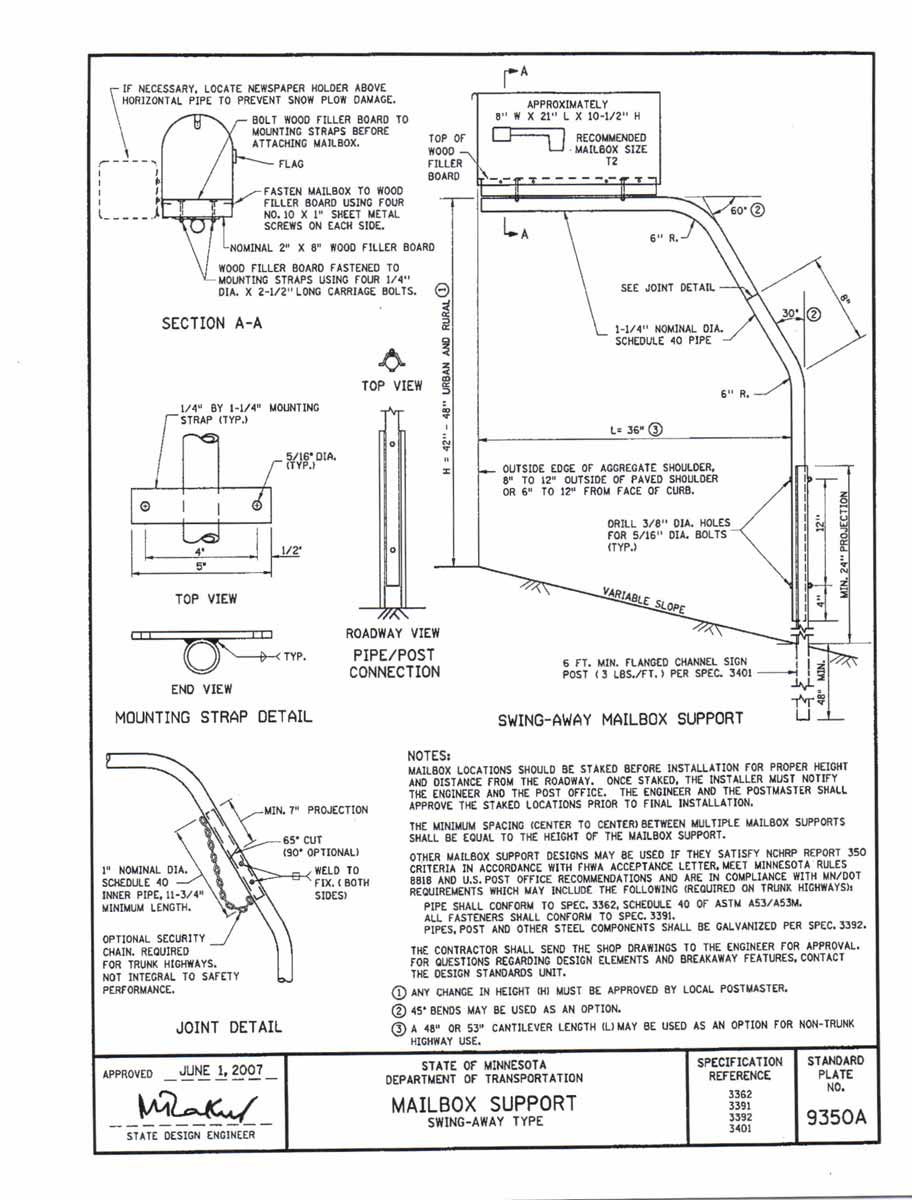
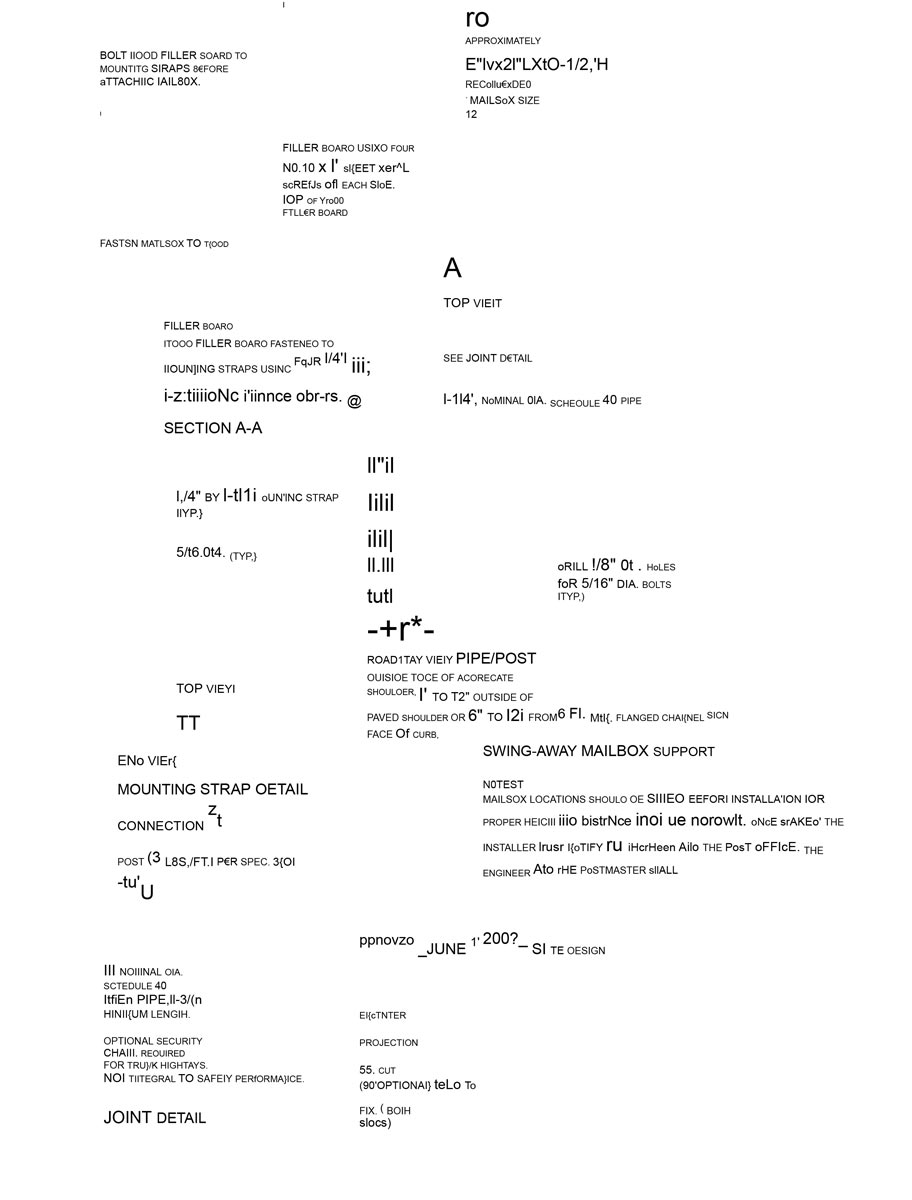
In this example we see an original PDF and the same document as Google sees it. This demonstrates how anything out of the ordinary will essentially render the text reading software useless. While we can zoom in and read the diagram on the left, someone searching for these terms online will have unnecessary difficulty. It's even worse for anyone trying to look at this on their mobile device.
Compare The PDF vs. What Google Sees
In this example we see an original PDF and the same document as Google sees it. This demonstrates how anything out of the ordinary will essentially render the text reading software useless. While we can zoom in and read the diagram on the left, someone searching for these terms online will have unnecessary difficulty. It's even worse for anyone trying to look at this on their mobile device.
Built Around How Municipal Information Is Actually Published
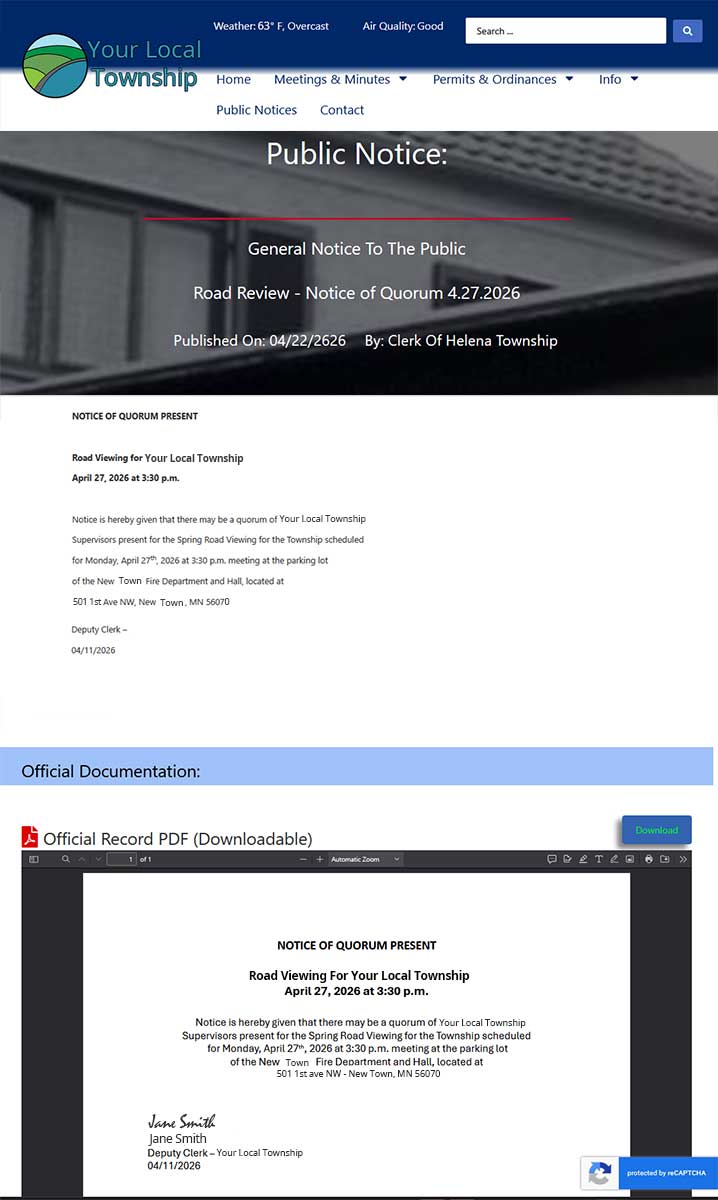
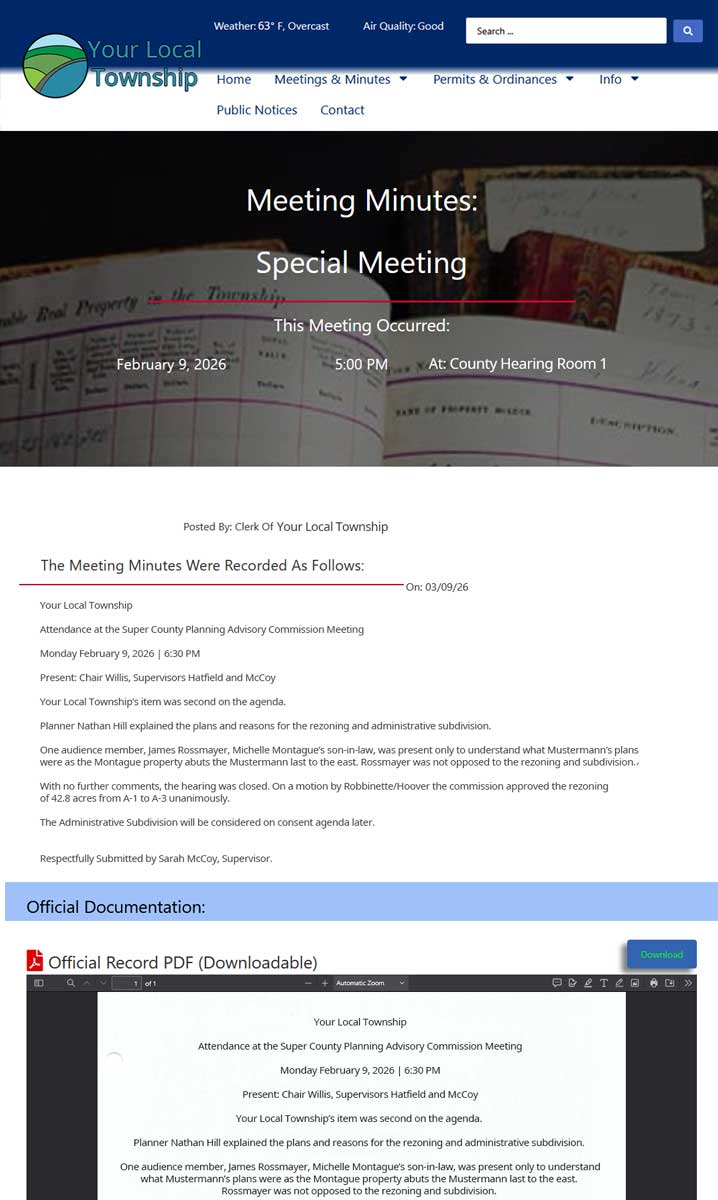
When it comes to posting notices and official updates to a municipal website, we take a bit of a “belt and suspenders” approach by preserving the official signed PDF, while also organizing the text in a searchable web-friendly format.
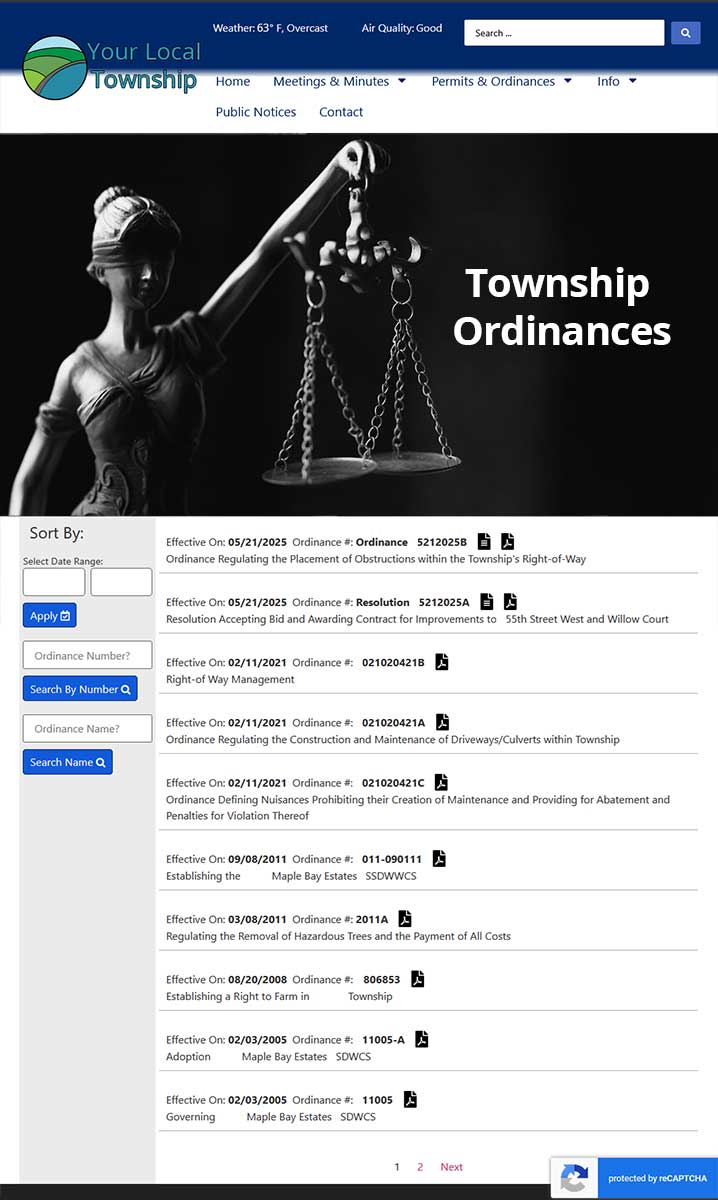
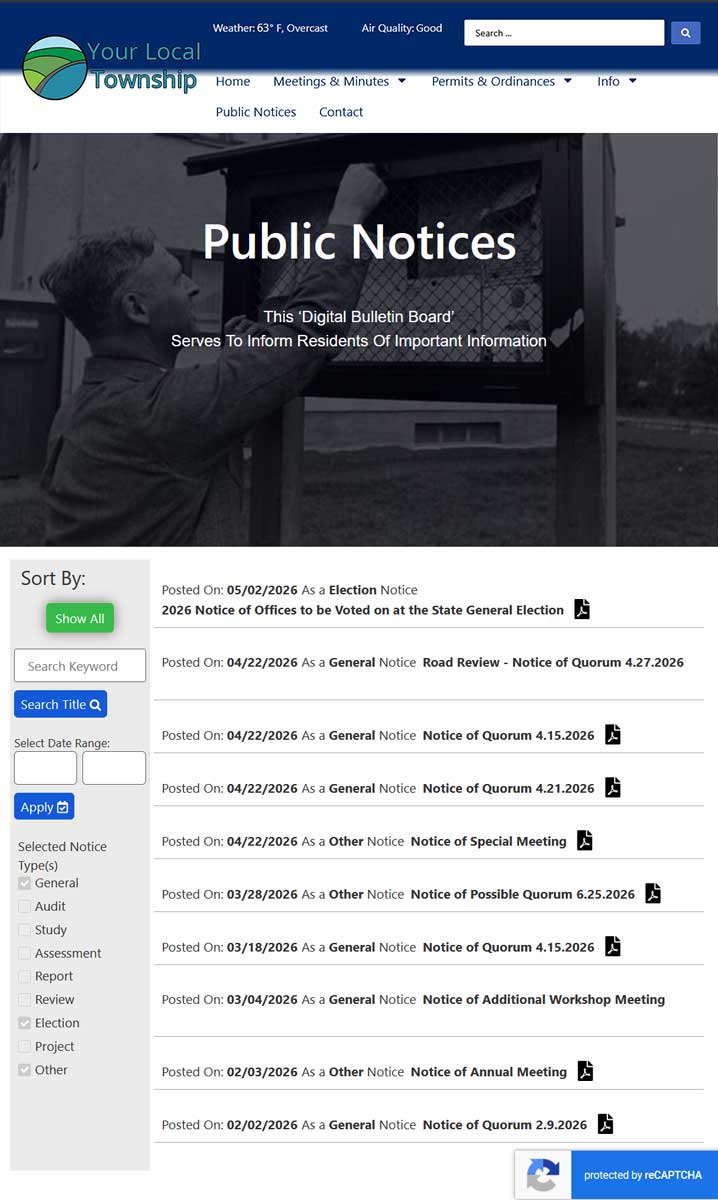
Under our system, different notice types are naturally separated into organized categories. The public can browse by category, date, meeting type, or just search by custom keywords. Filtering tools allow results to be narrowed down which helps to improve access and quickly find relevant information.
Reducing workload for clerks and admin staff
Our publishing ecosystem is tailored to your organization or municipal office. Using smart dynamic relations, you only need to post a notice once. A link to the post and/or summary snippet automatically shows up on the Home page, department or notice category page(s), and simultaneously enters the historical archive.
Best of all, our customized admin interface makes updating notices so easy that any staff member or newly elected official can do it with about 10-15 minutes of training. This means no more FTP access or clunky software that only one person knows how to use.
Common Content & Notices
Publishing Tools That Reduce Technical Barriers
Customized, Flexible, Organized - And Easy To Use
If you’re a town clerk or admin staff of a municipal office, you no doubt have a system that works for you. Most of us are hesitant to change a workflow that already feels familiar. However, what if we could show you that it will actually make your life easier and improve the access to the information that you’re trying to share with the public?That’s what we built this for.
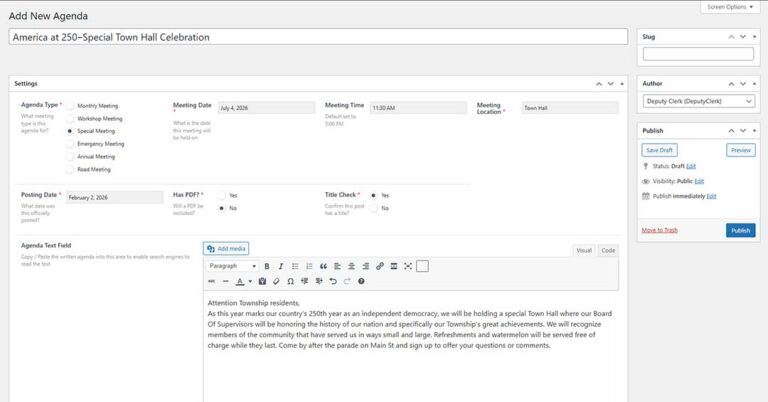
We’ve developed a system that is customizable and can scale to publish anything from simple notices to detailed public records. Multiple staff members can contribute with a simple copy and paste of document text into a guided publishing form. Then select the corresponding category, date, and other relevant details. We provide standardized options for every type of notice and include some required fields to help prevent missing information. If something doesn’t look right after it's published, you can quickly go back and edit.
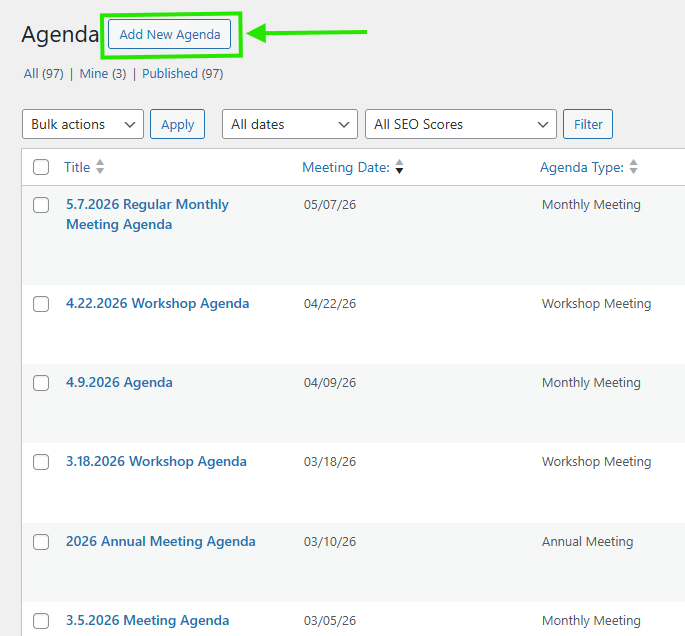
Example: Adding New Agenda
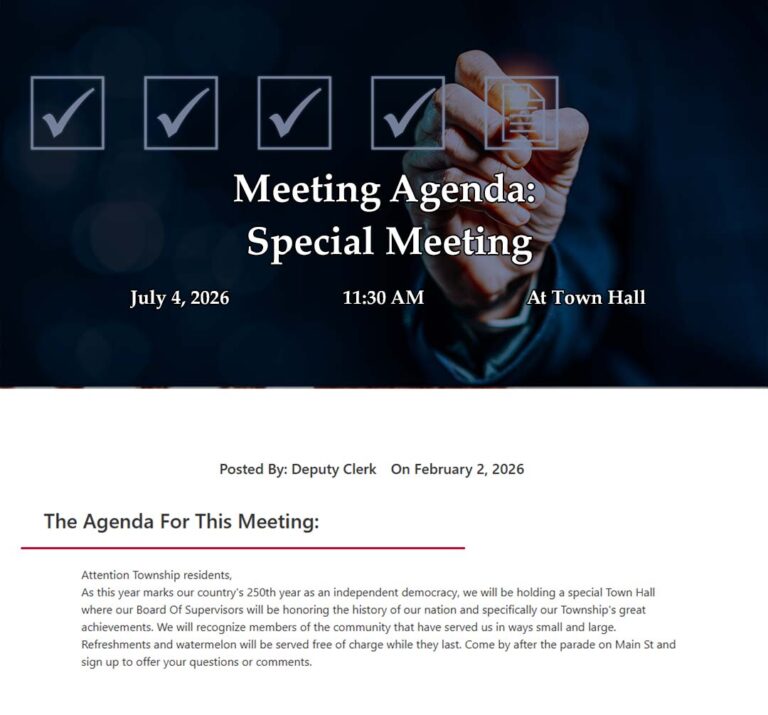
What Residents Actually Experience
UX/UI Is Developer Shorthand for
“User Experience & User Interface”
The value of a well designed publishing system for public notices is not measured by how easy it is to use the admin control panel. While that matters too, it doesn’t mean much if visitors find the website hard to use or visually unappealing.
Built for everyday people, with everyday needs
A public facing website that serves information to residents needs to be accessible by all and easy to use. We have taken great effort to design a system that helps visitors find information faster through the use of search tools which filter out repetitive results.
A lot of municipal websites become a dumping ground for PDFs. With our customized system, notices are displayed in a modern looking uniform layout that is both mobile-friendly, and adds improved access for those with disabilities. Text becomes searchable and archives can be filtered by category and date. This consistent formatting builds public trust, while archive organization improves transparency. The result is delivery of an overall better structure, which helps to preserve institutional knowledge over time.
Example: Filter Notices, Search, View
Common Questions: