Accessibility Updates Aligned With ADA Requirements

Practical accessibility improvements that help residents access
public information while preparing your website for
upcoming ADA Title II requirements.

Accessibility Is About More Than Compliance

Making Public Information Available To Everyone

Website accessibility is often viewed as a purely technical requirement, but that overlooks what accessibility standards are really trying to accomplish. Although DOJ requirements actually mandate that municipal and government organizations' websites be brought into compliance, the real goal should be ensuring that public information is more accessible to all residents regardless of any disability. 

Some public website visitors are likely to be using screen readers, keyboard navigation, voice controls, magnification tools, or other assistive technology. Once a municipal website is properly accessible, it should not create barriers to accessing agendas, notices, ordinances, permits, forms, and other valuable information. Many accessibility improvements also increase usability for everyone, especially mobile users and older website visitors.

Accessibility Impacts More People Than You Might Think

What The 2027-2028 Requirements Actually Mean

Accessibility Terminology:

(Click To Expand)

Alternative text, often called “alt text”, is a short description added to an image so screen readers can explain what the image contains to people with visual impairments.

Not every image requires a lengthy description, but important photos, diagrams, charts, maps, and graphics should include enough information to communicate their purpose. Proper alt text also provides context when images fail to load or cannot be viewed for other reasons.

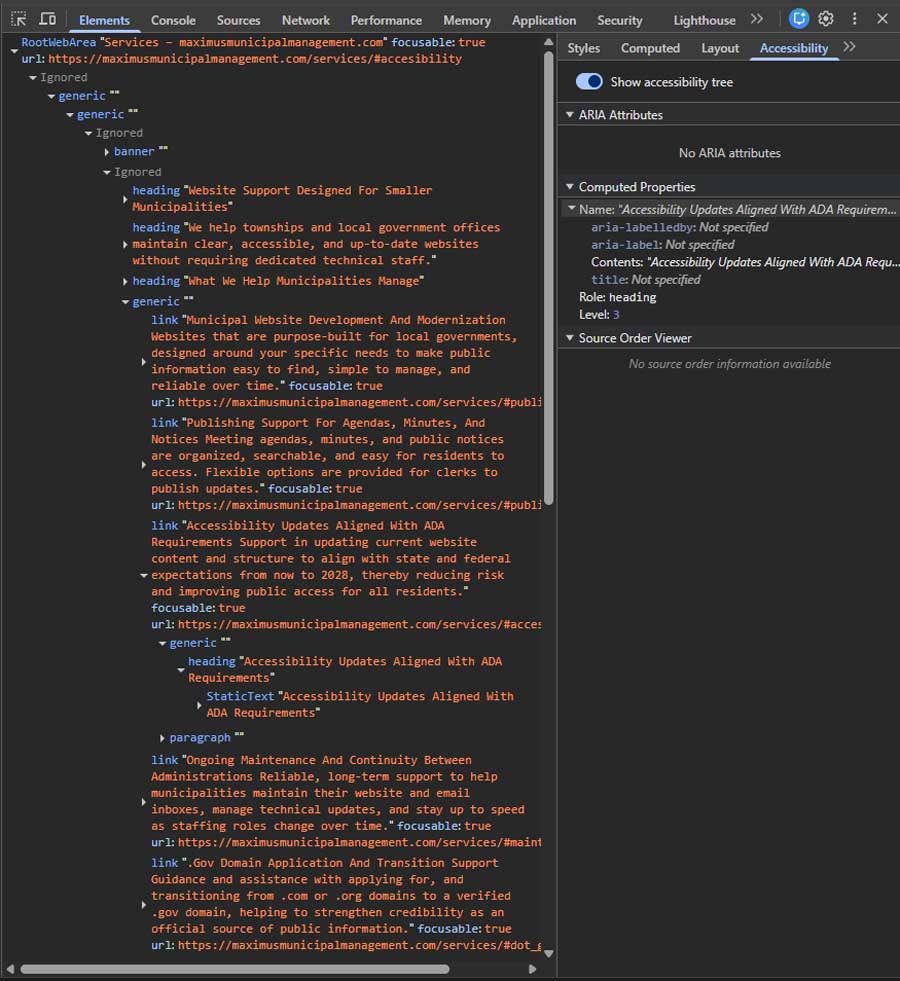
Headings help organize content into a logical hierarchy, much like chapters and sections in a book. Screen readers often allow users to jump between headings, making it easier to locate information quickly.

When headings aren’t properly structured, pages can become confusing to navigate even if they appear visually organized. Correct heading structures improves accessibility,but it also helps with search engine understanding, and overall readability.

Not everyone uses a mouse to browse the web. Some users rely entirely on a keyboard, adaptive devices, or other assistive technologies to navigate websites. Menus, forms, buttons, and interactive elements should all be accessible using keyboard controls alone.

If users become trapped inside a menu, popup, or form, they may be unable to access important information or complete basic tasks.

Form labels help to identify the purpose of each field in a contact form, application, or registration page. While it may seem obvious that a box is asking for a name or email address, screen readers rely on properly associated labels to communicate that information.

Missing or incorrect labels can make forms difficult or impossible to complete for some users. Clear labeling also improves usability for everyone.

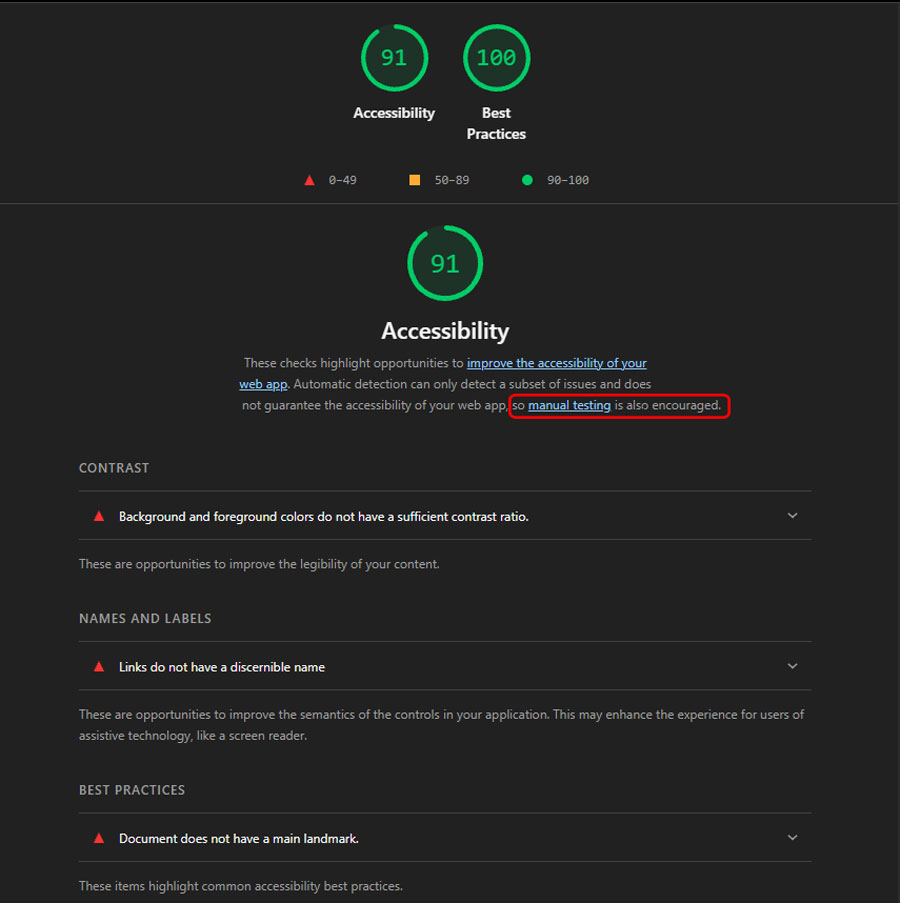
Color contrast refers to the difference in brightness between text and its background. When contrast is too low, text can become difficult to read, particularly for users with low vision, color blindness, or when viewing a screen outdoors. Accessibility standards establish minimum contrast ratios to improve readability. Good contrast benefits all users, not just those with disabilities. 

The specific requirements are:
Standard Text: Minimum ratio of 4.5:1 for regular text. (Applies to text under 18pt, or under 14pt if bold).

Large Text: Minimum ratio of 3:1 for large or bold text. (Applies to 18pt+ or 14pt+ if bold).

UI Elements & Graphics: Minimum ratio of 3:1 for user interface components (e.g., form input borders, focus states) and graphical objects (e.g., icons, charts).

Links should clearly describe where they lead or what action they perform. Generic phrases such as “Click Here” or “Read More” provide little context when read by a screen reader. Descriptive links help users understand their options before selecting them. They also improve navigation and make content easier to scan.

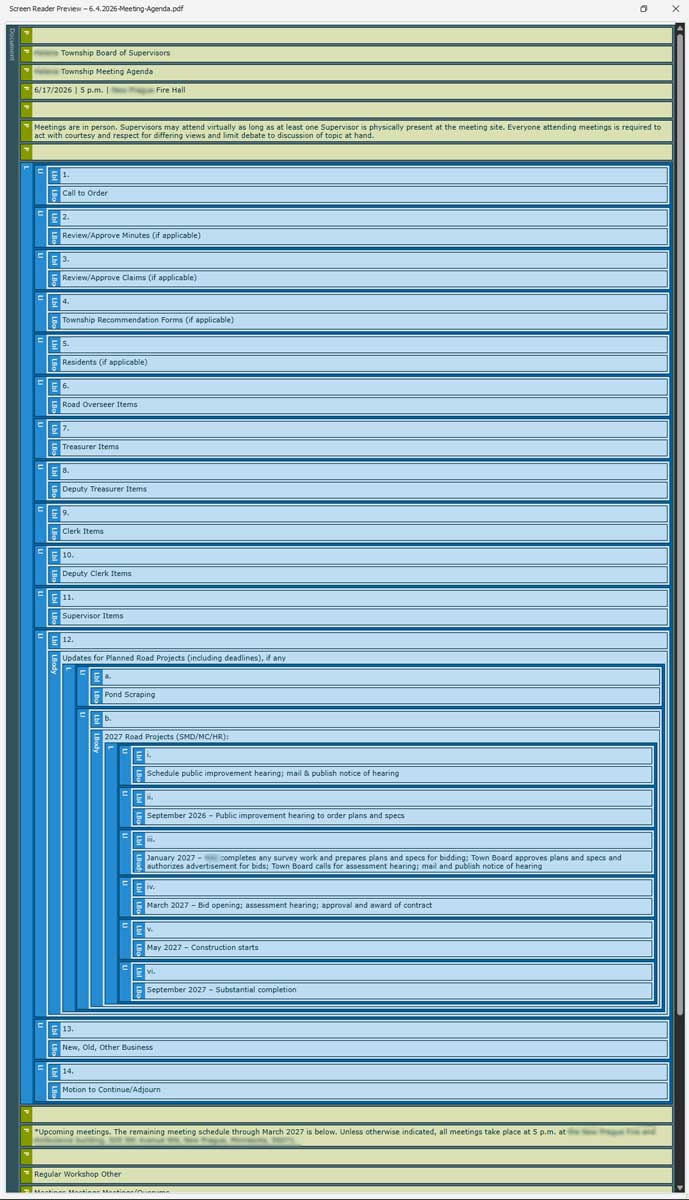
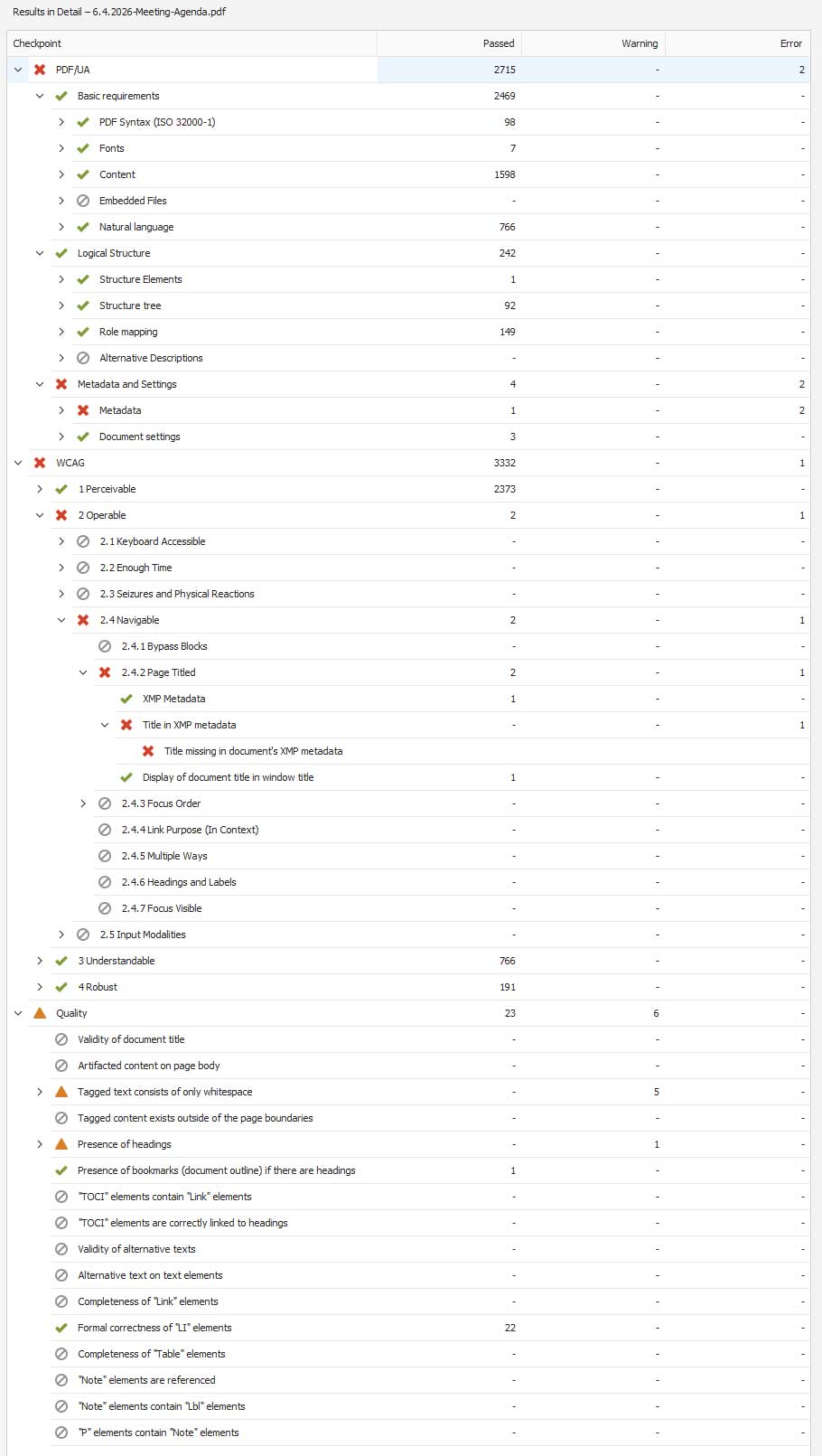
Many municipalities rely heavily on PDFs to publish agendas, minutes, ordinances, permits, and other public documents. Unfortunately, older PDFs are often little more than scanned images of paper documents.

Accessible PDFs contain properly recognized text, logical reading order, document structure, and other elements that allow assistive technologies to interpret the content. In some cases, older documents may require remediation before they meet current accessibility expectations. Some older archived documents may qualify for limited exceptions under the rule, but those exceptions are narrowly defined and should be evaluated carefully on a case-by-case basis.

Captions provide a text version of spoken content in videos, while transcripts provide a written record of audio or video presentations. These tools help residents who are deaf or hard of hearing access the information being presented.

They can also benefit users in noisy environments, those who prefer reading, or anyone using search tools to look for specific information within a presentation. As municipalities publish more video content, captions and transcripts become increasingly important accessibility tools.

A skip navigation link allows keyboard and screen reader users to bypass repetitive menus and jump directly to the main content of a page. This can significantly reduce the number of keystrokes required to navigate a website.

While many visitors never notice these links, they can make a substantial difference for users who rely on assistive technology. They are a common accessibility feature on modern government websites.

The Timeline:

If In 2024 the DOJ published the Final Rule on Web Content and Mobile Apps. This rule mandated that state and local governments meet WCAG 2.1 Level AA. Government entities with a total population of 50,000 or more were required to bring their sites into compliance by April of 2026 while smaller population governments had until April of 2027. Just before the 2026 date was set to take effect, the DOJ issued an interim ruling that extended those deadlines by one additional year to 2027 & 2028 respectively.

Understanding WCAG and ADA Title II

The Web Content Accessibility Guidelines (WCAG) 2.1 Level AA is the technical standard for state and local government websites. But what does it actually mean?

When we talk about website accessibility, we’re not discussing a single feature. Bringing a website up to the standard actually involves many individual considerations. Most of the changes to an updated (and accessible) website will be invisible to the average visitor. The process includes both website structure, and content practices.

Understanding WCAG and ADA Title II

  • Missing image descriptions
  • Improper heading structure
  • Low color contrast
  • Unlabeled form fields
  • Inaccessible PDFs
  • Missing video captions
  • Keyboard navigation problems
  • Generic “Click Here” links

Accessibility Analysis Goes Beyond Running A Scan

Automated Testing Is Only Part Of The Process

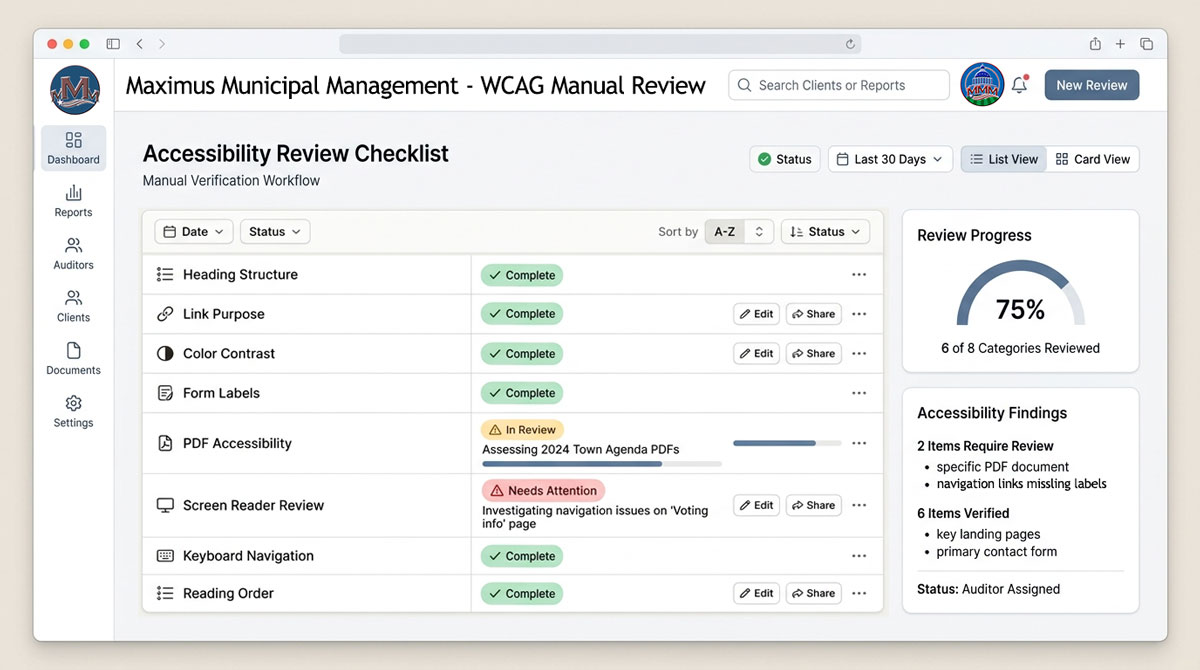
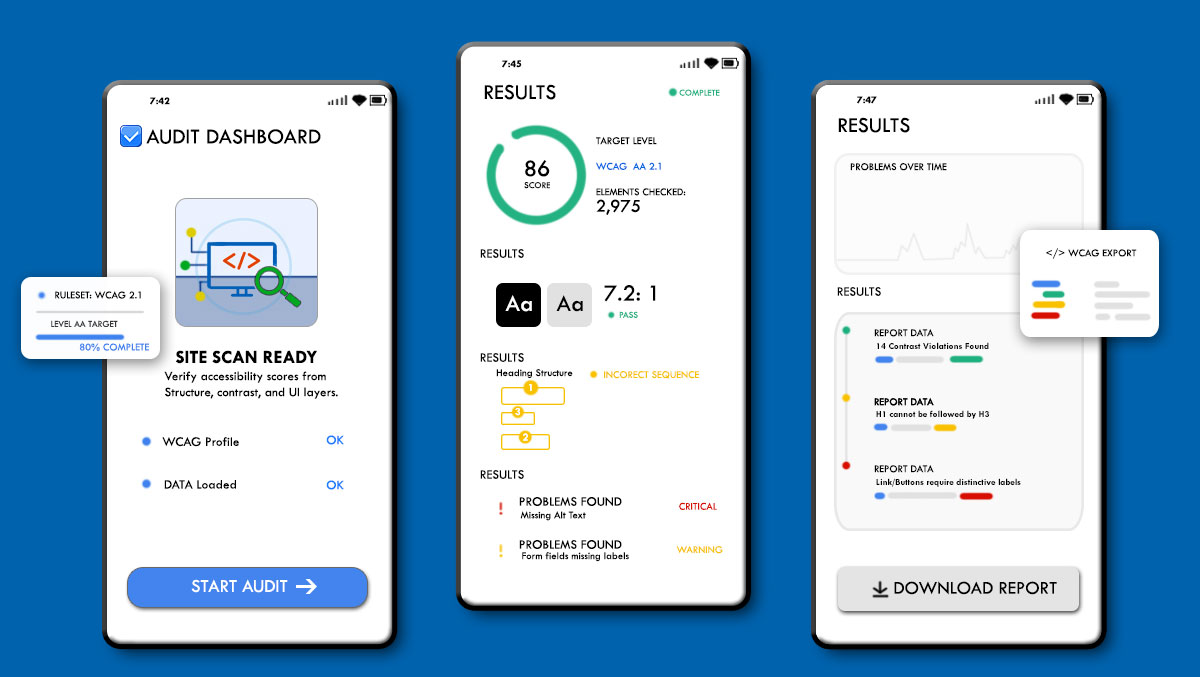
AI tools and accessibility scanners are everywhere now. While automated scanners are useful to identify common problems, they cannot determine whether content is understandable. These scanners often fail to accurately evaluate PDFs and to distinguish if the navigation is logical. This is why human review is still a necessary aspect of accessibility improvements.

Content Matters Too

Addressing existing website functions is something a knowledgeable developer can handle for you. They can work to add things like alt text, improve heading structures, convert links and other technical aspects to bring the current site up to modern standards. 

However, municipal sites are always adding new content, PDFs, and other info. This is why everyone that contributes to the website should have an understanding of basic publishing practices. Accessibility standards become easier to meet when it’s built into everyday workflows.

Accessibility Scans Are A Starting Point
The Best Time To Start Is Now

Typical Accessibility Roadmap

Step 1
Website Assessment
Step 1
Step 2
Identify high-priority issues
Step 2
Step 3
Update templates and navigation
Step 3
Step 4
Review PDFs & documents
Step 4
Step 5
Train staff
Step 5
Step 6
Ongoing monitoring
Step 6

Accessibility Improvements Take Time

The looming 2026-2027 deadlines were clearly causing stress among admin teams of municipal websites both large and small. Now that the DOJ has granted a one-year extension, many administrators breathed a sigh of relief. The reality is that these improvements can’t be made by adding a magic "accessibility plugin” to most websites and to have the process properly completed by the deadline, it’s best to get an early start. 

Smaller websites that contain less than 10 pages of content can usually be addressed relatively quickly. Larger websites with years of accumulated content will require more planning. Overall accessibility should be approached in phases. Initial analysis will point out the lowest hanging fruit and from there, things like documents and older PDFs can be addressed as they will require more effort.

Getting A Head Start

Rather than delaying this work, or hoping for an additional extension from the DOJ, many township clerks and government organization admins are choosing to start now so they can spread the work over time rather than facing a last-minute rush closer to the deadline. 

This gives them the advantage of better understanding what is required and getting their teams trained so that future content will be more accessible to the members of the public they serve. Forward planning like this also avoids a last minute scramble to either meet new requirements or remove large sections of their website to avoid non-compliance.

Common Questions:

(Click To Expand)

Usually no. Many accessibility issues can be corrected without rebuilding everything from scratch. The answer depends on the age of the website and how it was originally built. In some cases, the initial assessments can indicate the existing structure and volume of content would make it more cost effective to move to a modern website. Even in this cases, it’s not like starting over from scratch, but more of replacing the foundation and then moving text and documents to that new framework.

Yes. However, PDFs must be accessible to users with disabilities. Older scanned documents often require additional work before they meet accessibility expectations.

In some cases, the new standards allow for government websites to move these documents to a segregated archive section, but there are specific conditions for when and where to implement this strategy. It’s less of a “loophole” and more of a strategic evaluation.

Credible accessibility evaluations typically involve automated testing, manual review, and assessment of content and documents. No single scanner can identify every issue and Ai tools that make claims of a “one click solution” should be evaluated very carefully. 

The extension provides additional time, but it does not remove the requirements. Starting early generally allows organizations to spread the work out and avoid a last-minute scramble. Phased improvements also allow for associated costs for this work to be dispersed over a greater period of time.

  • Yes! Maximus Municipal Marketing can provide you with an initial accessibility analysis of your government website. As we stated above, a complete analysis requires deeper review of systems, documents, and PDFs. This typically requires providing us with access to your website’s admin areas. However, we can utilize trusted analysis tools of the published pages, review the results, and provide you with an initial report card.  

Have a question or want to talk it through?


If you’re not sure what your needs are yet, that’s completely fine. We can take a look at your current setup and talk through some options.

No pressure. Just a conversation.

Drawing of a man wearing a headset while sitting at a computer. Gears hover over the computer.

Getting Started

Start a conversation


Want to skip the back-and-forth?
You can also choose a time here: